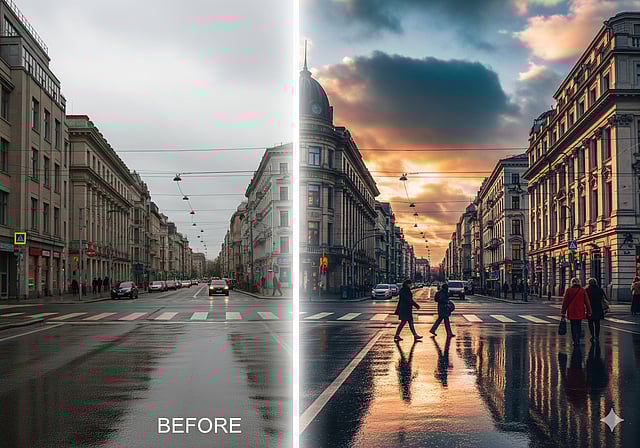
Gemini AI photo editing prompts are changing the way people create stunning images. With just a few simple words, users can enhance photos, remove distractions, and apply artistic effects without complex software. This AI puts professional photo editing right at your fingertips.
One popular prompt lets you adjust the mood. You can ask Gemini AI to make your image bright and cheerful or dark and mysterious. Another effective prompt is to enhance colours naturally, making landscapes, food, or street photography pop without looking artificial.
Removing unwanted objects is also easy. Use a prompt like “Remove the power lines” or “Delete the trash can near the subject” to instantly clean up your photo. For portraits, prompts that create professional effects such as background blurring help your subject stand out.
Gemini AI photo editing prompts also let you apply artistic styles. Transform a photo into a watercolor painting or a charcoal sketch. Adding realistic atmospheric effects like mist or snowfall can completely change a scene. You can even sharpen textures, replace elements, or generate reflections to make images look more vivid.
For those who love nostalgia, applying vintage filters with prompts like “Add soft sepia tones and subtle vignette” is simple and fast. These prompts are a starting point, and the real power lies in your creativity.
With Gemini AI photo editing prompts, anyone can create professional-looking images in minutes. Experimenting with different prompts can produce endless visual possibilities, making photo editing faster, easier, and more fun.